IntegrationsGoogle SSO · Gmail · Active Directory · SMTP
StatusIn production · 2026
Scroll
4roles and access levels
25+screens and modules
7branded e-mail templates
84automated tests
01
Problems it solves
MDFDesk is an internal IT support system. Employees register an issue in under a minute, follow its status in real time and talk to the IT specialist directly. It is deployed and used daily at the Municipal Development Fund of Georgia.
01Chaos of calls and messengers
Every request lives in one place — numbered, with history and an owner.
02“Where is my request?”
Employees see the stages and get notified.
03Uncontrolled deadlines
SLA per priority, counted in business hours.
04Manager approval
Hardware purchases and access requests go through approval automatically.
05Transparency
Audit log, sign-in log, ratings and statistics.
02
Roles and access
Users sign in with their organisation Google account (SSO) — no passwords are stored. The role decides what each user sees.
01Employee
Register requests, follow status, chat with IT, rate
02Approver
Manager — approve or reject, dedicated “To approve” tab
03IT admin
Dashboard, SLA, analytics, Active Directory, mailbox
04Super admin
Roles, critical settings, protected actions
03
Request lifecycle
1
Registeredby employee
2
Approvalwhen required
3
Takenby IT specialist
4
In progresschat · SLA
5
Donee-mail sent
6
Rated1–5 ★ · reopen
04
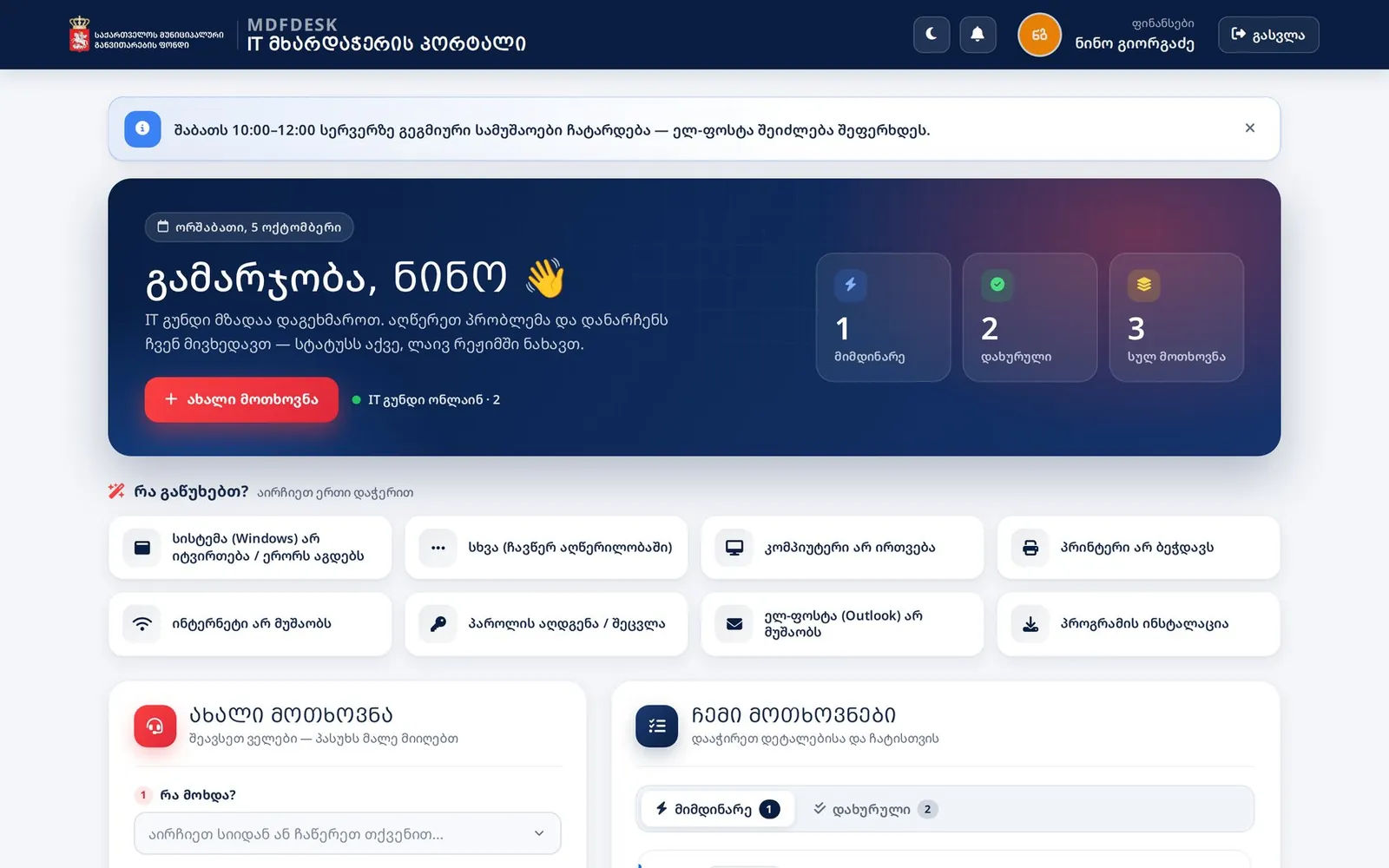
Employee experience
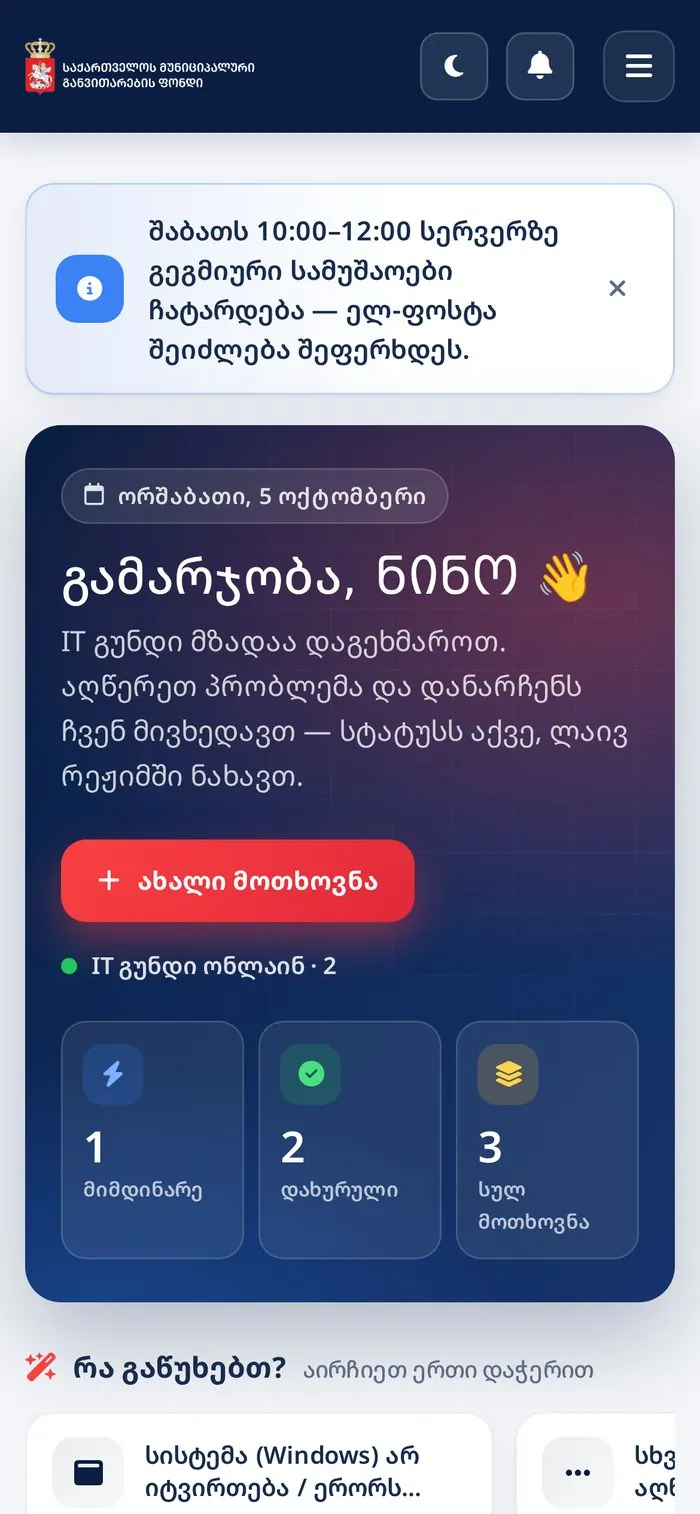
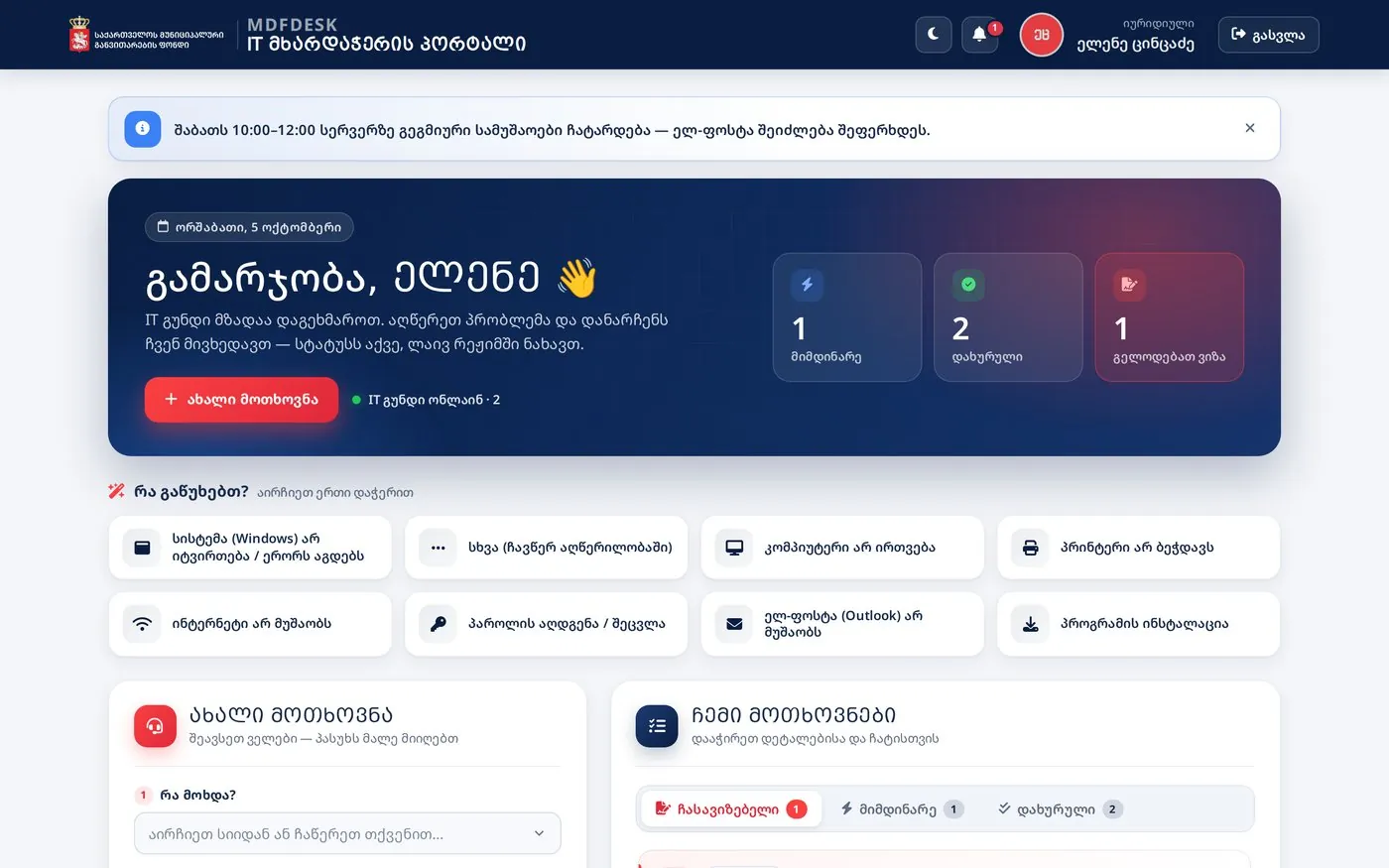
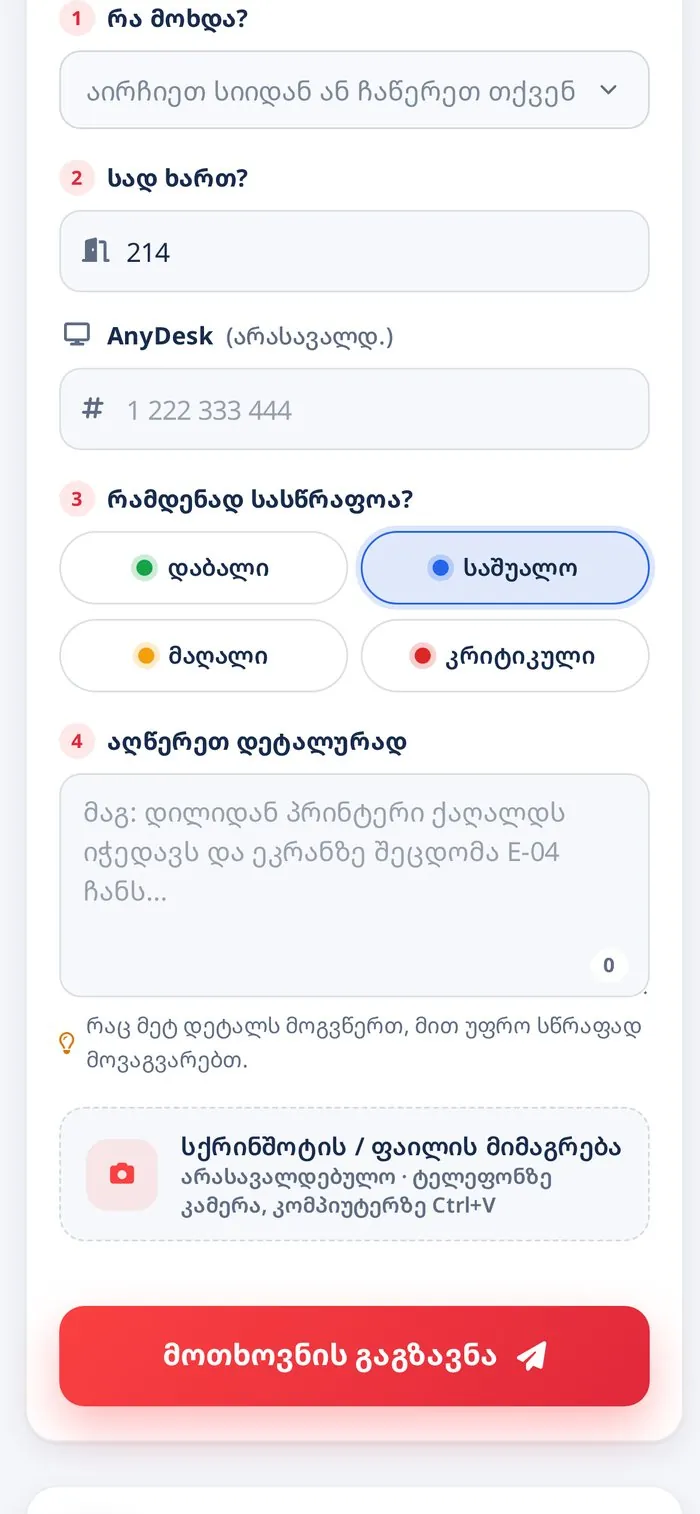
The interface needs no training: sending a request takes 3–4 fields, and common issues are picked with one click.
“What is bothering you?” — issue cards fill the form in one click
The room is filled in automatically
Screenshots: Ctrl+V, drag & drop or the phone camera
Outside business hours the system warns in advance
05
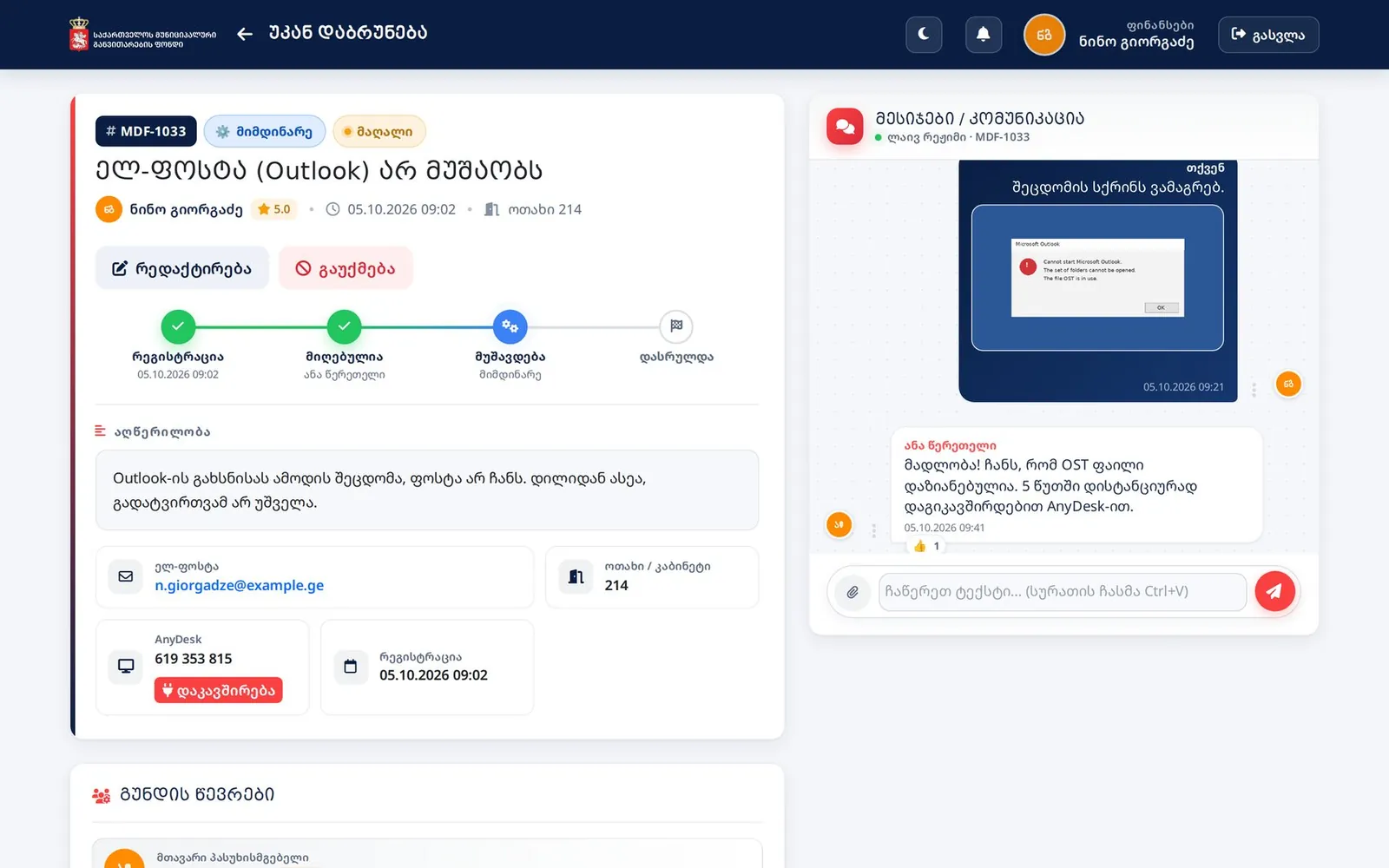
Ticket and live chat
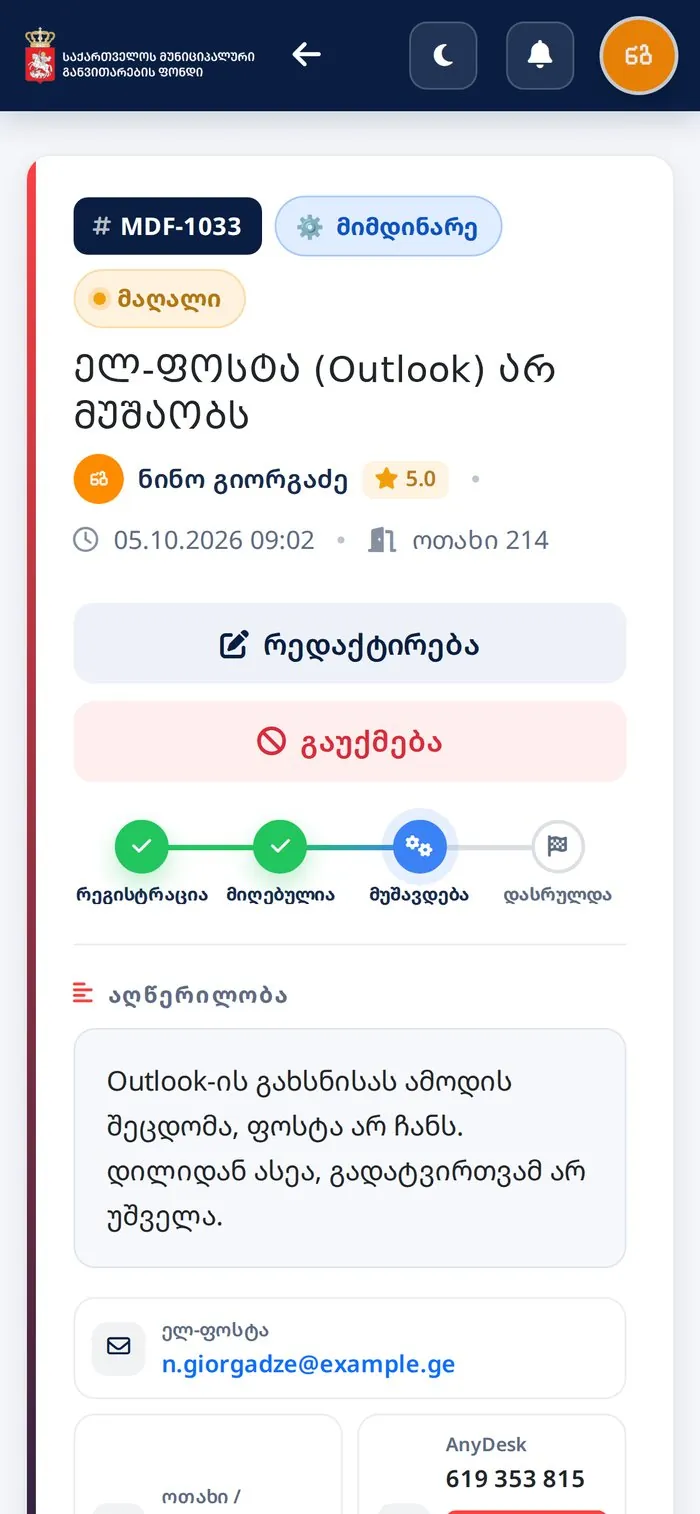
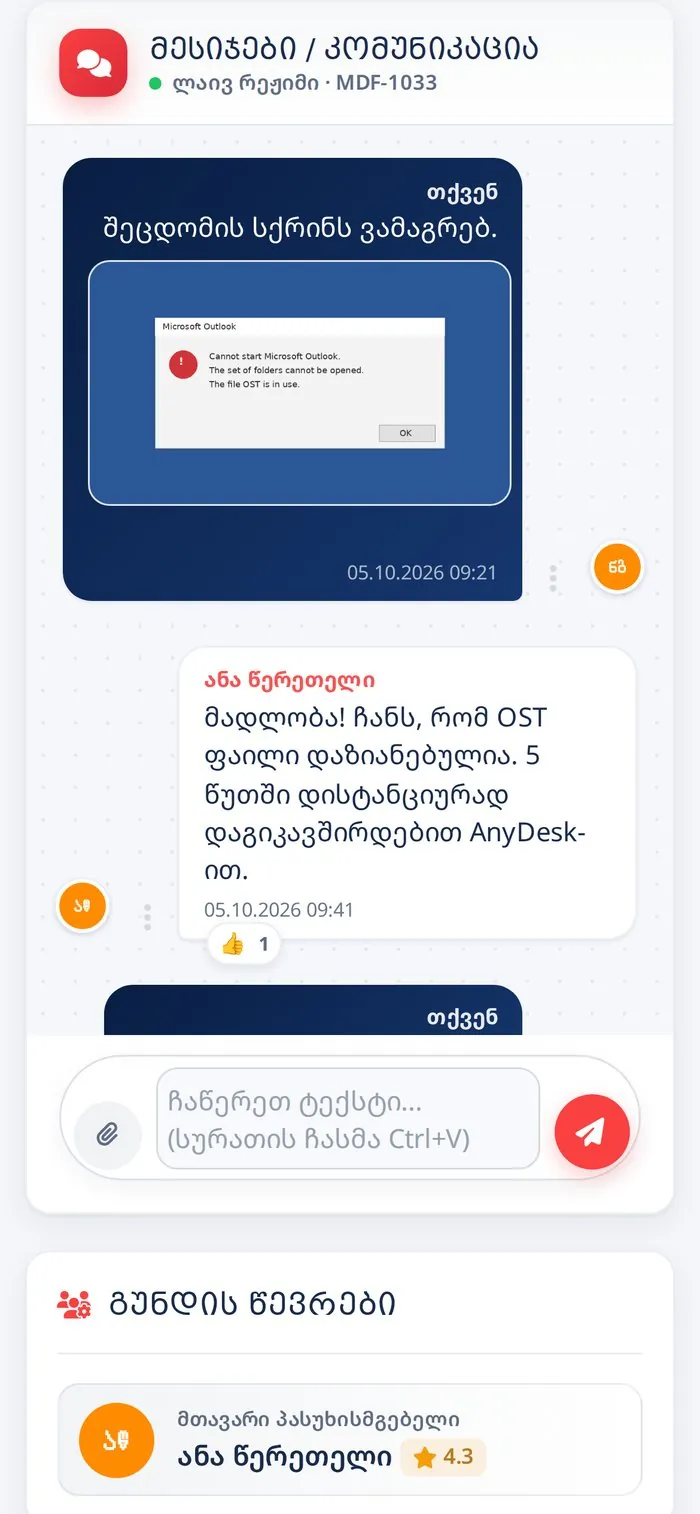
Every request has its own page: stages, details and a live chat with the IT specialist.
Images, PDF, Word and Excel files in the chat
“Typing…” indicator and reactions
Reopen a completed request within 7 days
06
Approval workflow
The administrator decides which request types need consent. Approvers are asked in order, by e-mail and in a dedicated “To approve” tab.
E.g. “New hardware”, “Shared folder access”
Several steps, processed in order
On rejection the author is notified at once
07
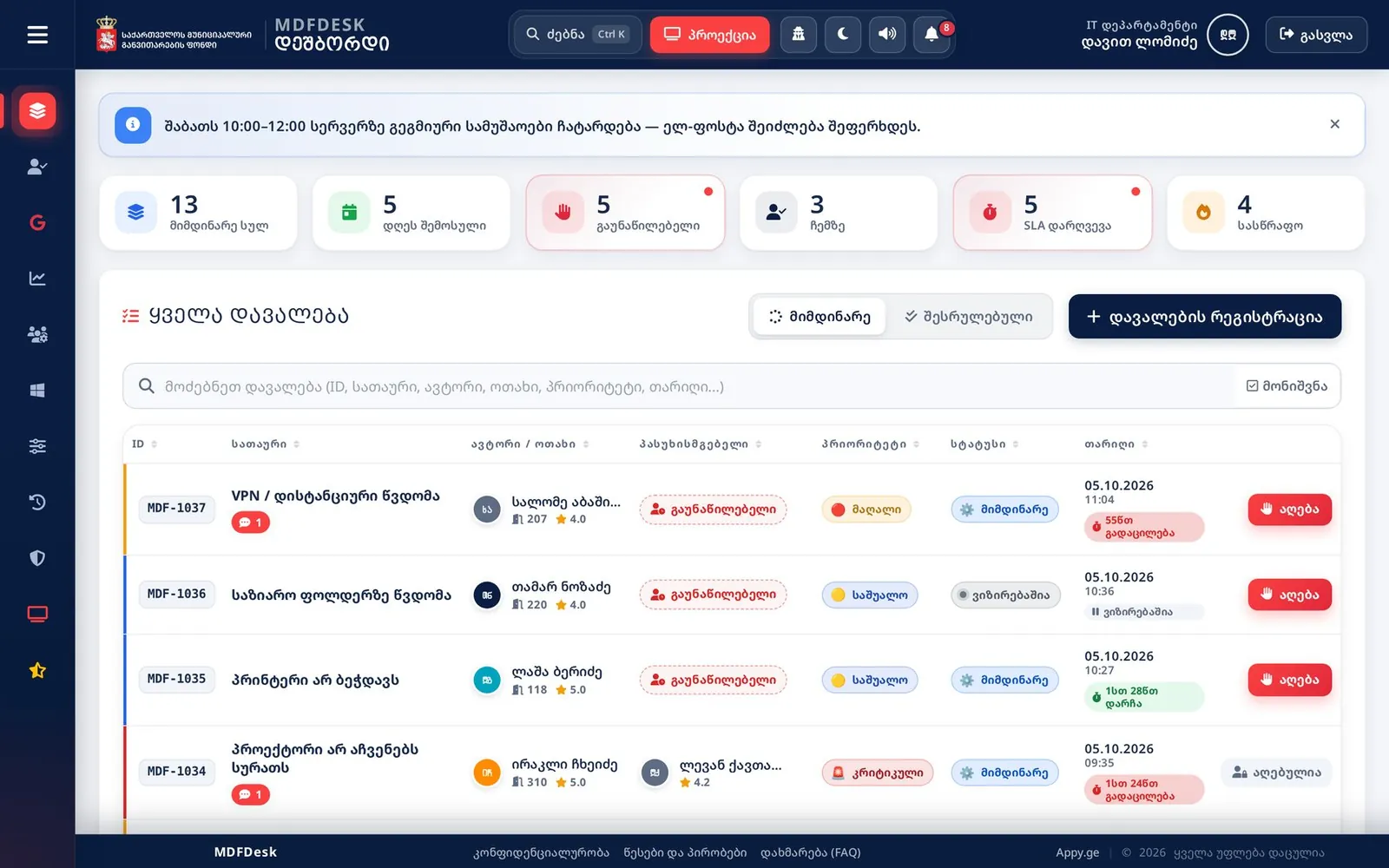
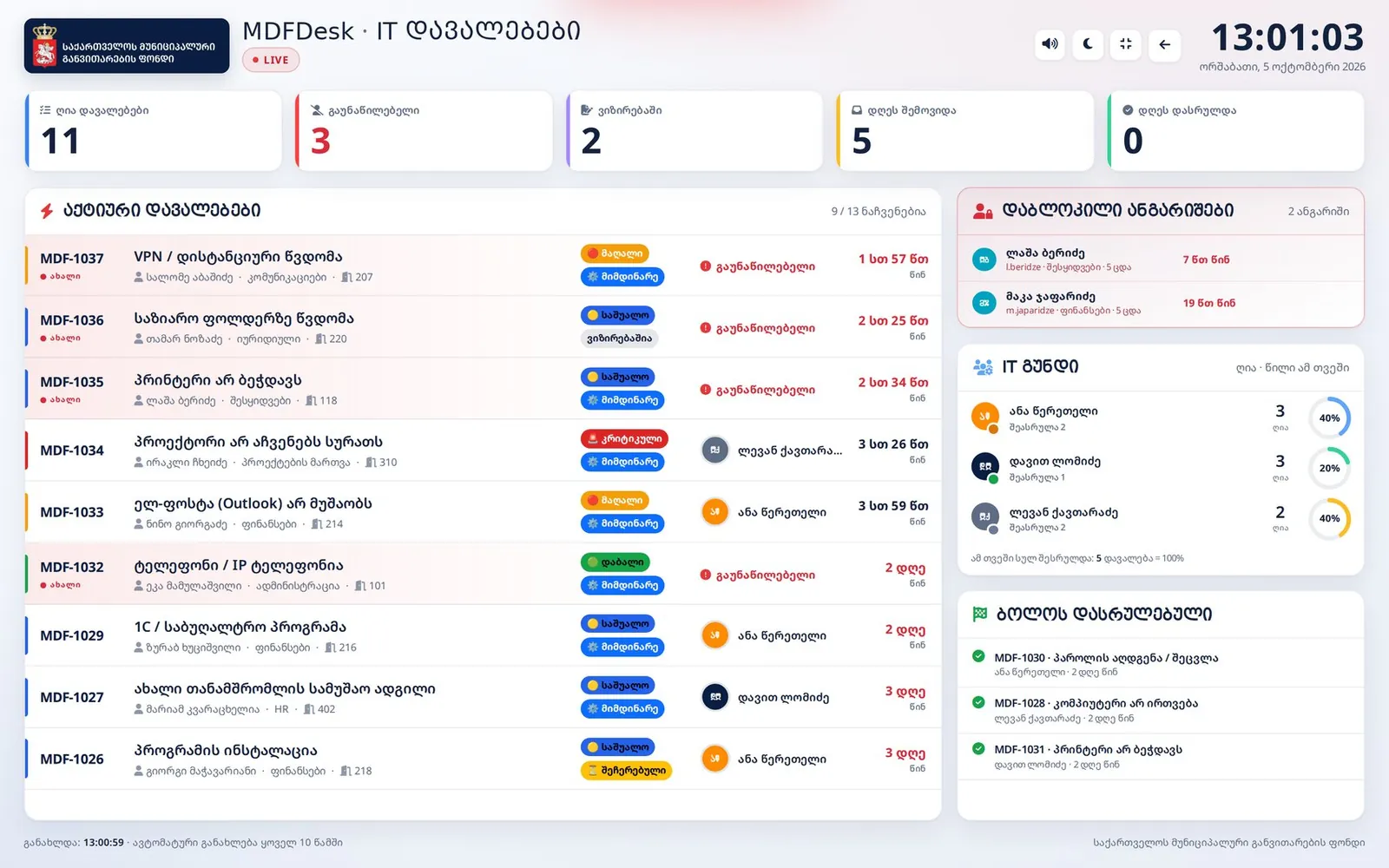
IT team dashboard
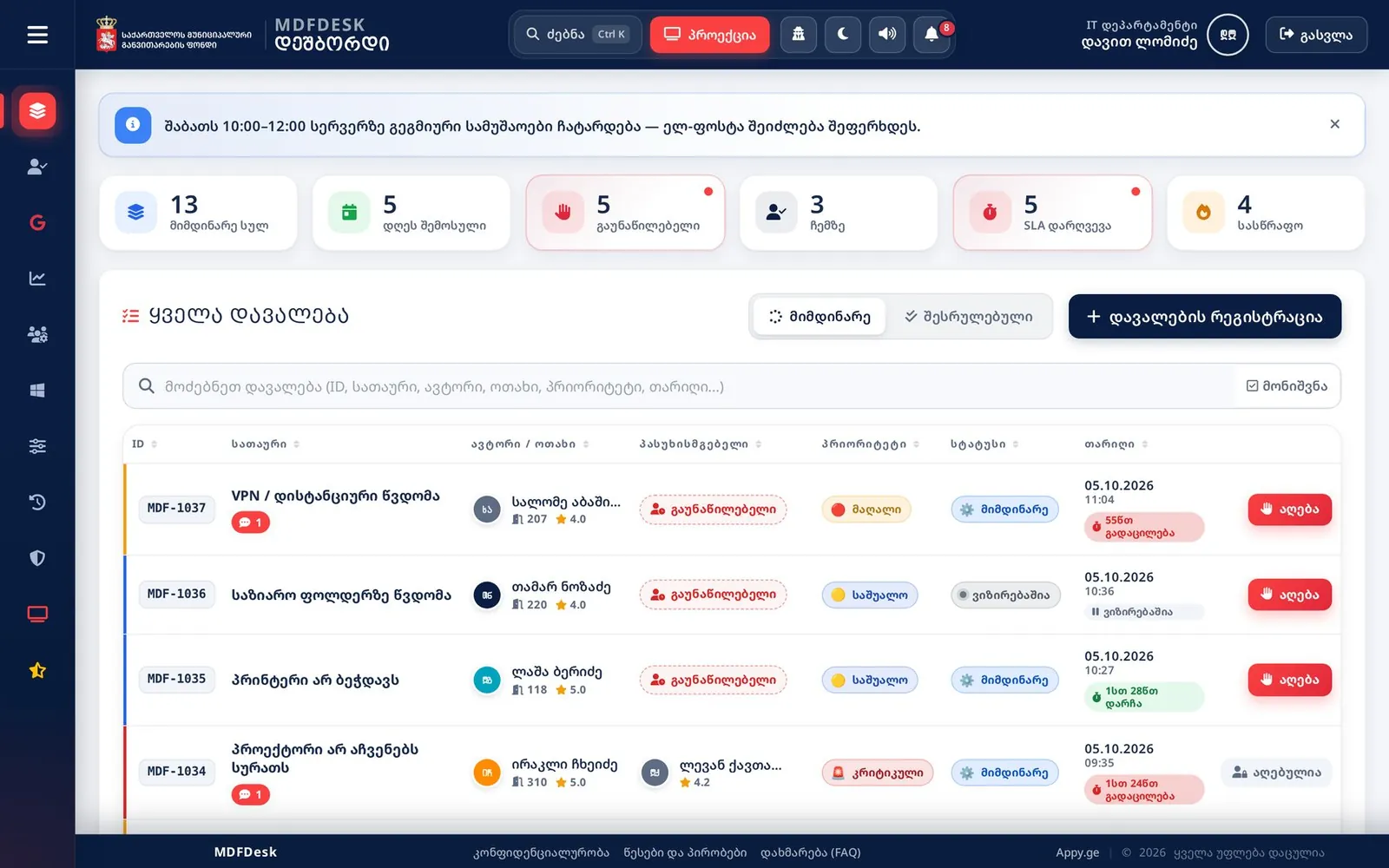
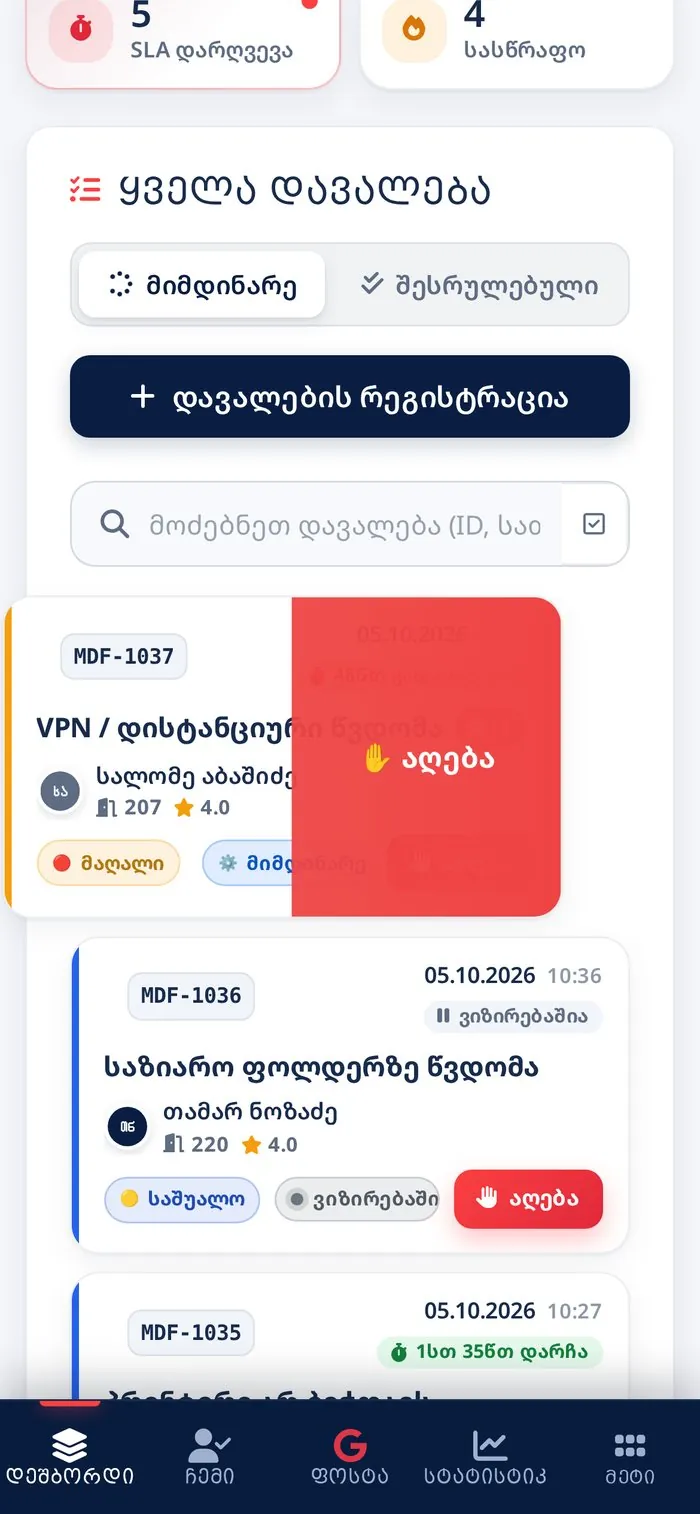
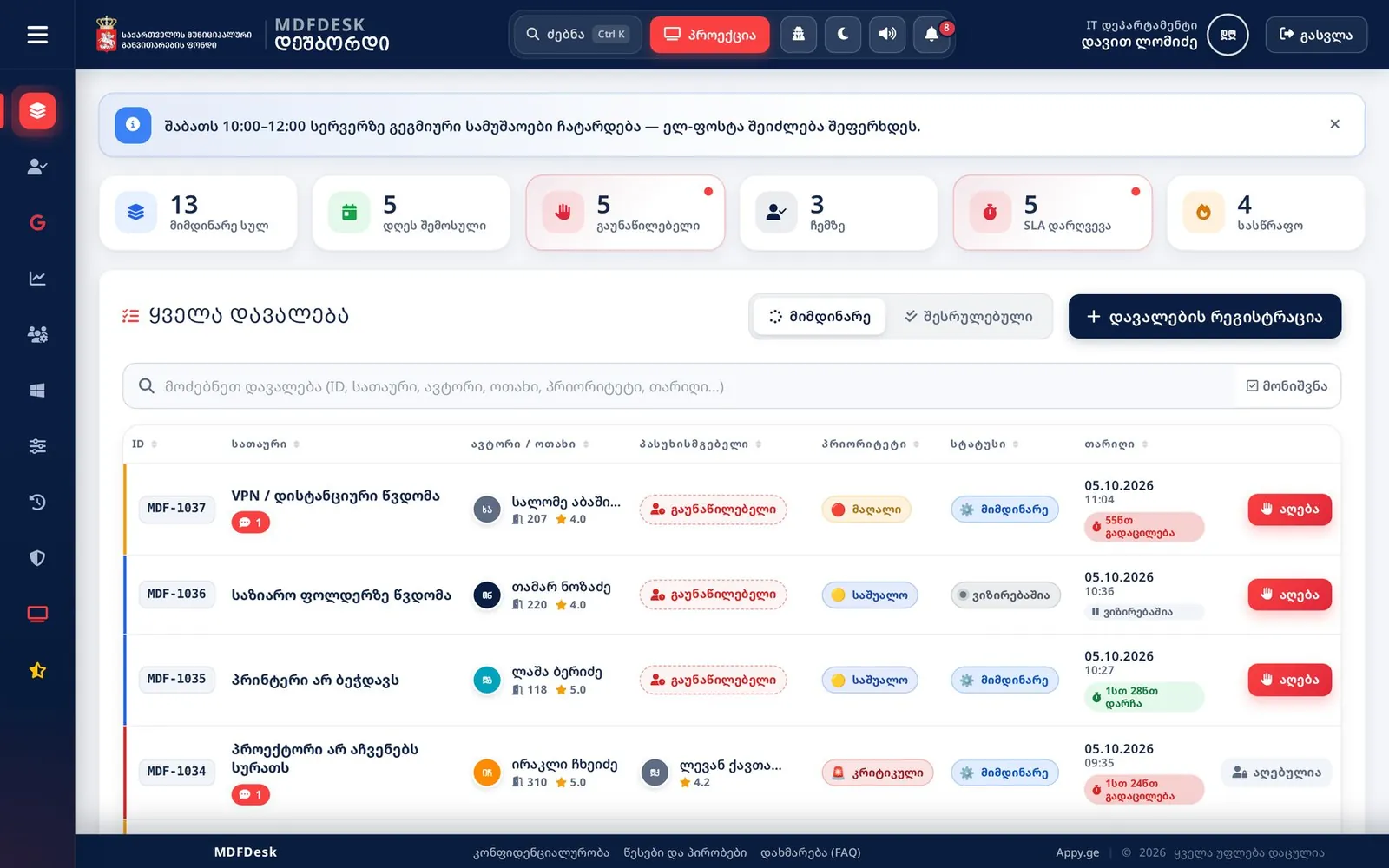
One screen with everything that needs attention right now. The list refreshes on its own and plays a sound on new requests.
KPI cards are filters: open, unassigned, SLA breach…
SLA counted in business hours only
Bulk actions and one-click “Take”
Ctrl+K quick search
Register on behalf of an employee — for phone calls
08
The ticket, IT side
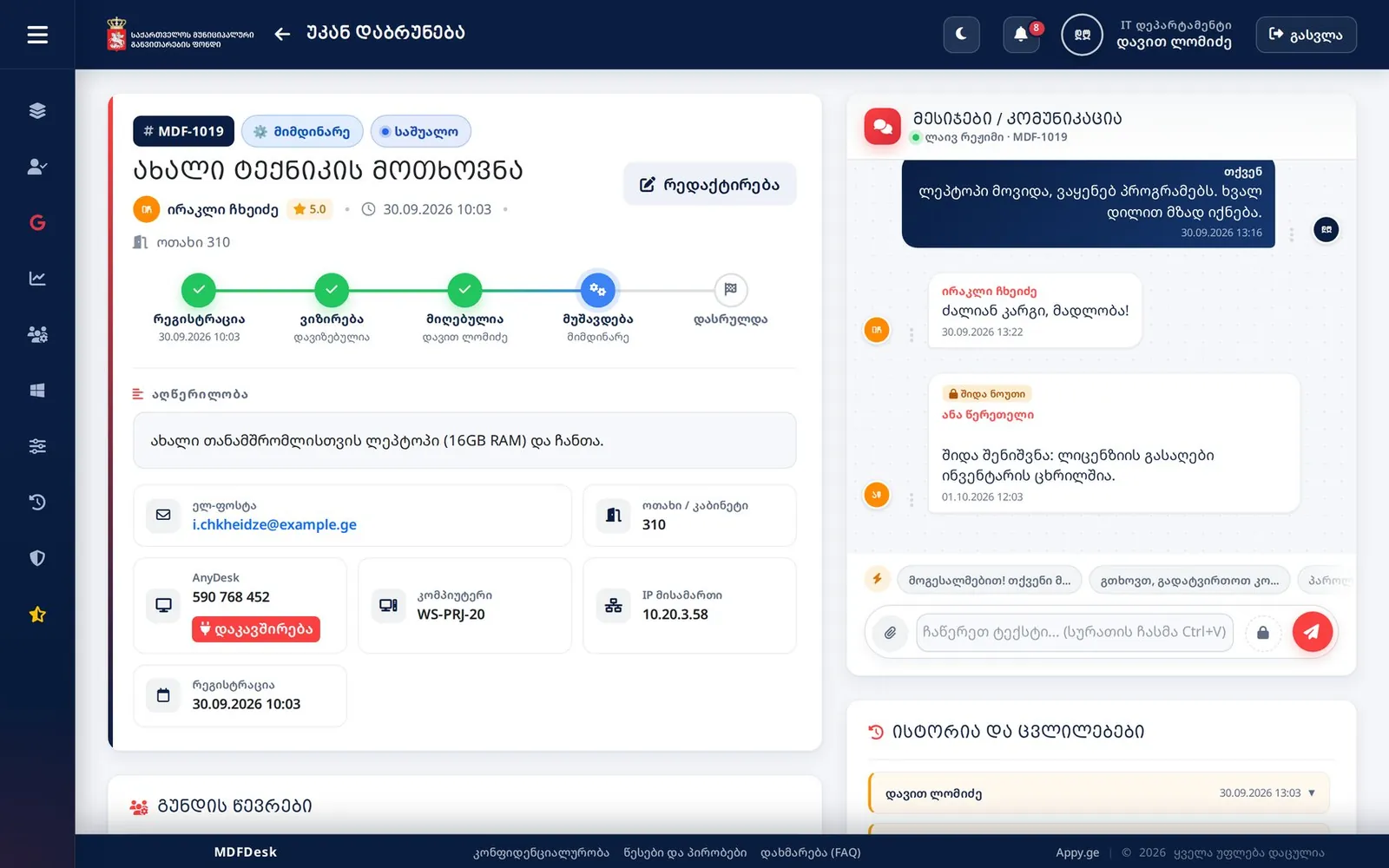
IT sees the computer name, IP address, one-click AnyDesk, checklist, collaborators and the full change history.
Quick replies in the chat
Internal notes the employee cannot see
Approval history inside the ticket
09
Analytics and control
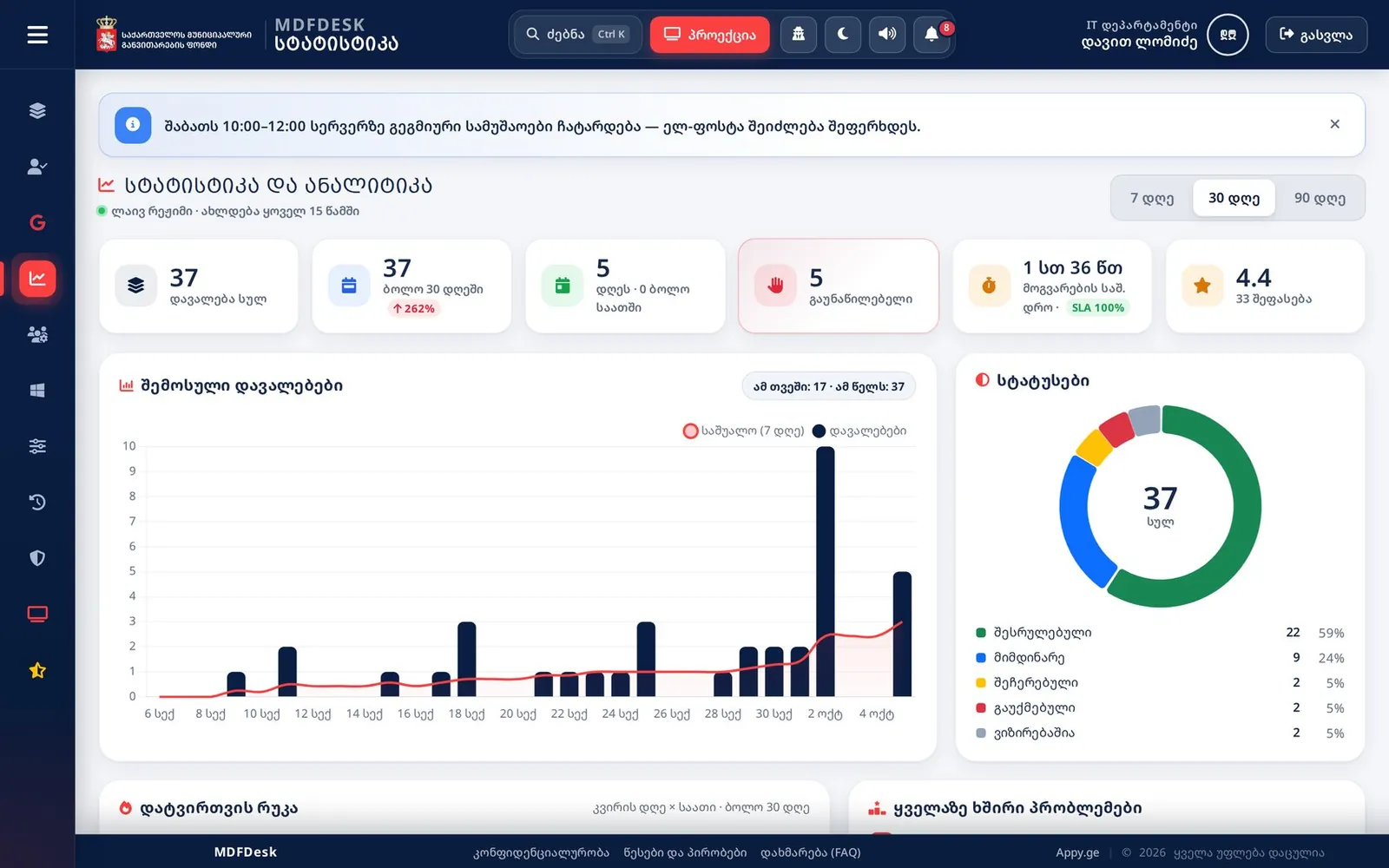
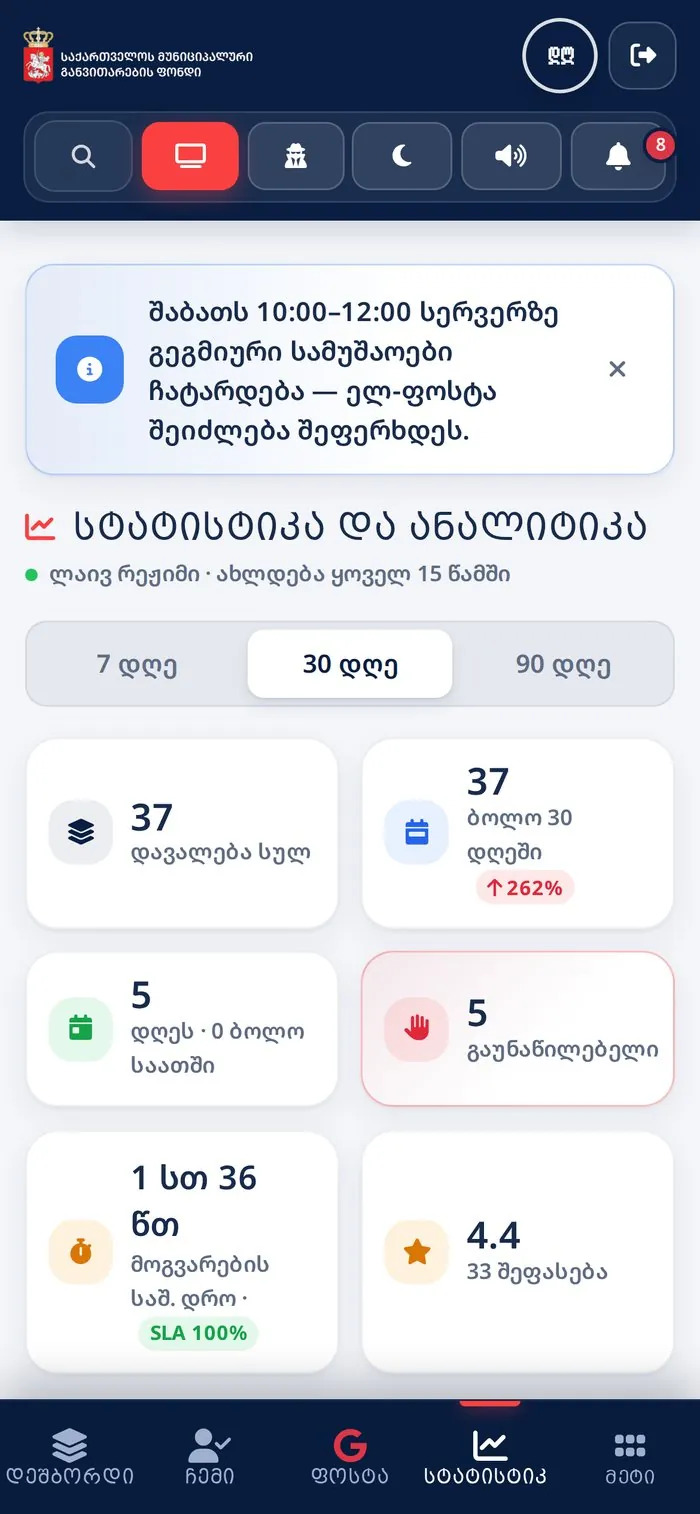
Management sees how the IT team performs — over 7, 30 and 90 days.
Request trends and statuses
Workload heat-map: weekday × hour
IT ranking and average resolution time
SLA compliance
10
Live monitor
For a wall screen or projector: new tickets and locked accounts in real time.
Audit log with CSV export
Sign-in log
Rating history
11
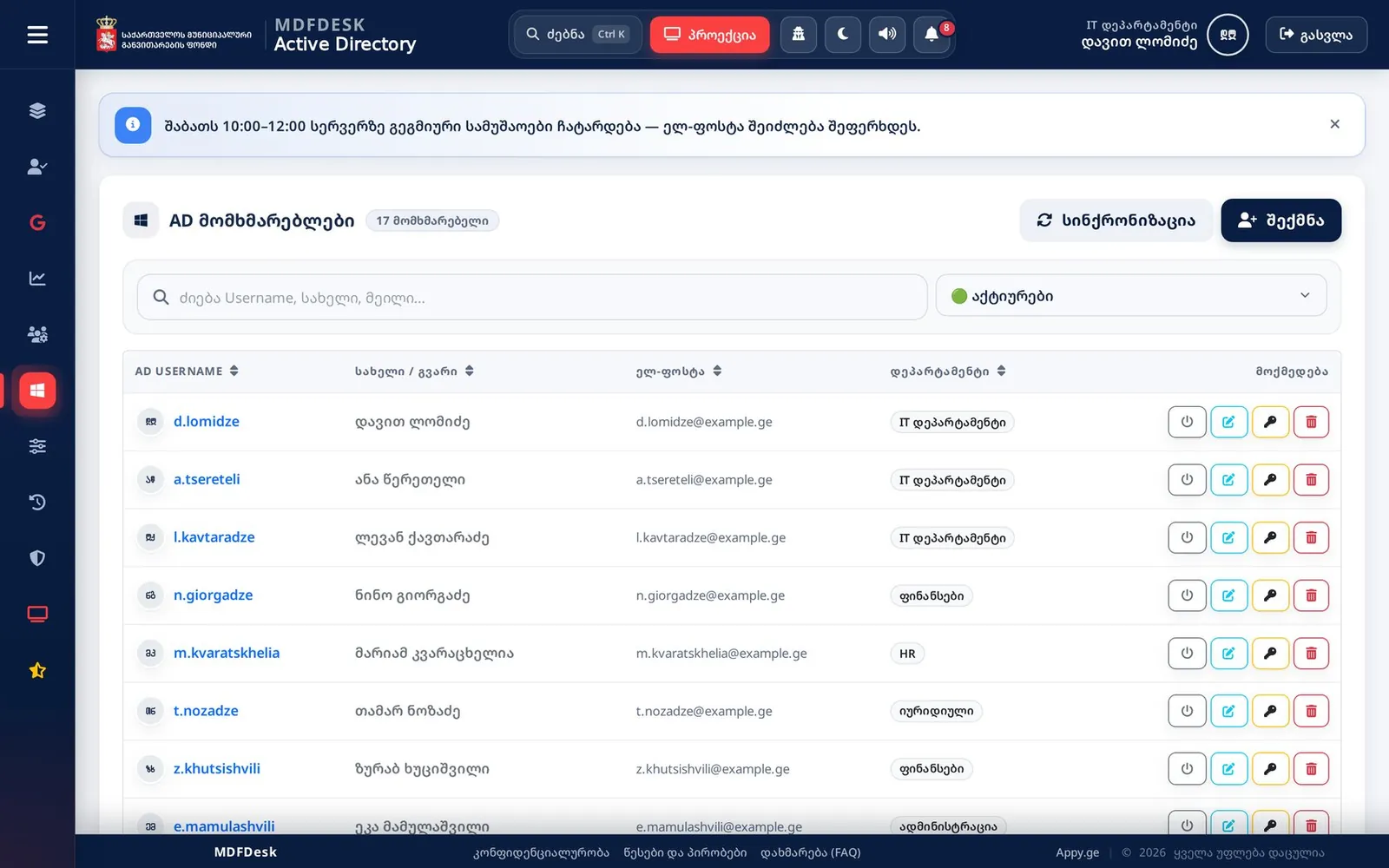
Users and Active Directory
IT creates, edits, disables and unlocks accounts and resets passwords right from the portal. Privileged accounts are protected.
The workstation agent reports each employee's computer
Gmail right inside the panel
Branded e-mails on 7 events
mdfdesk
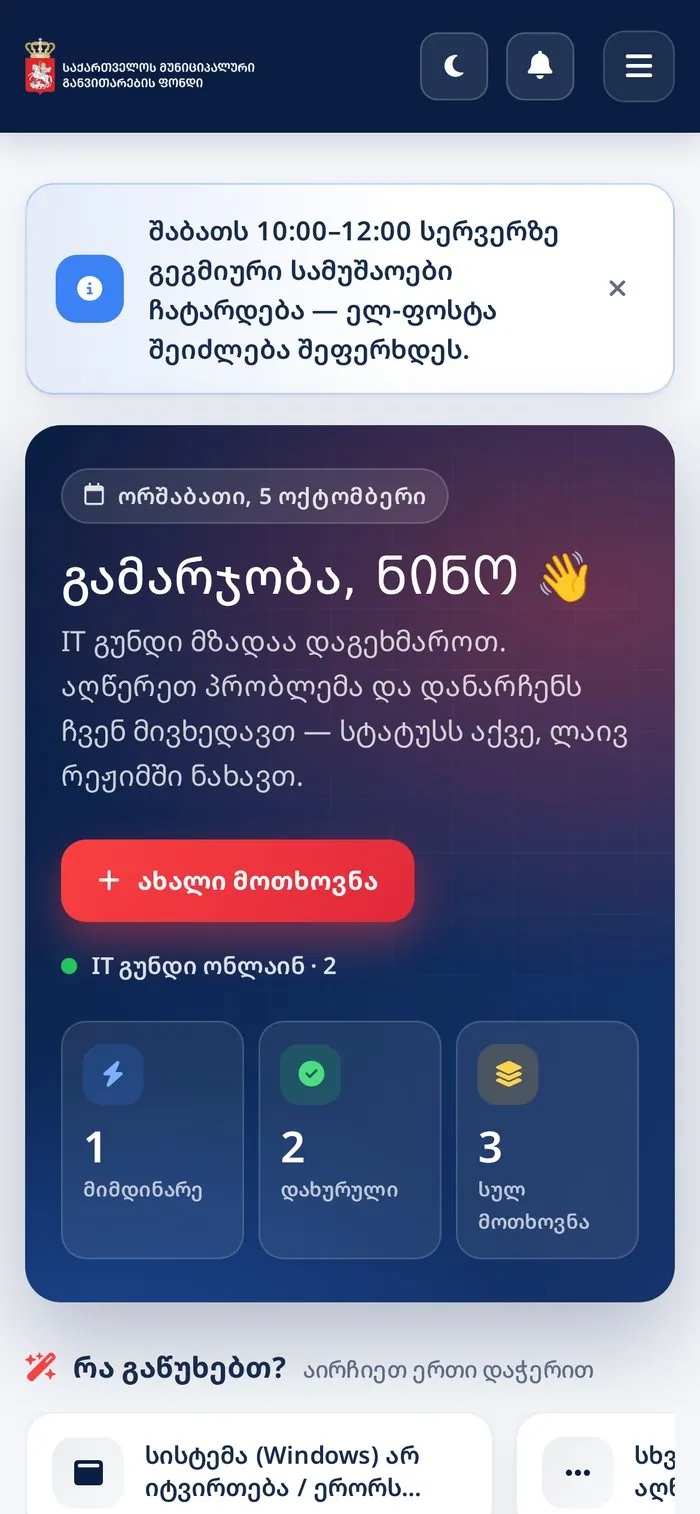
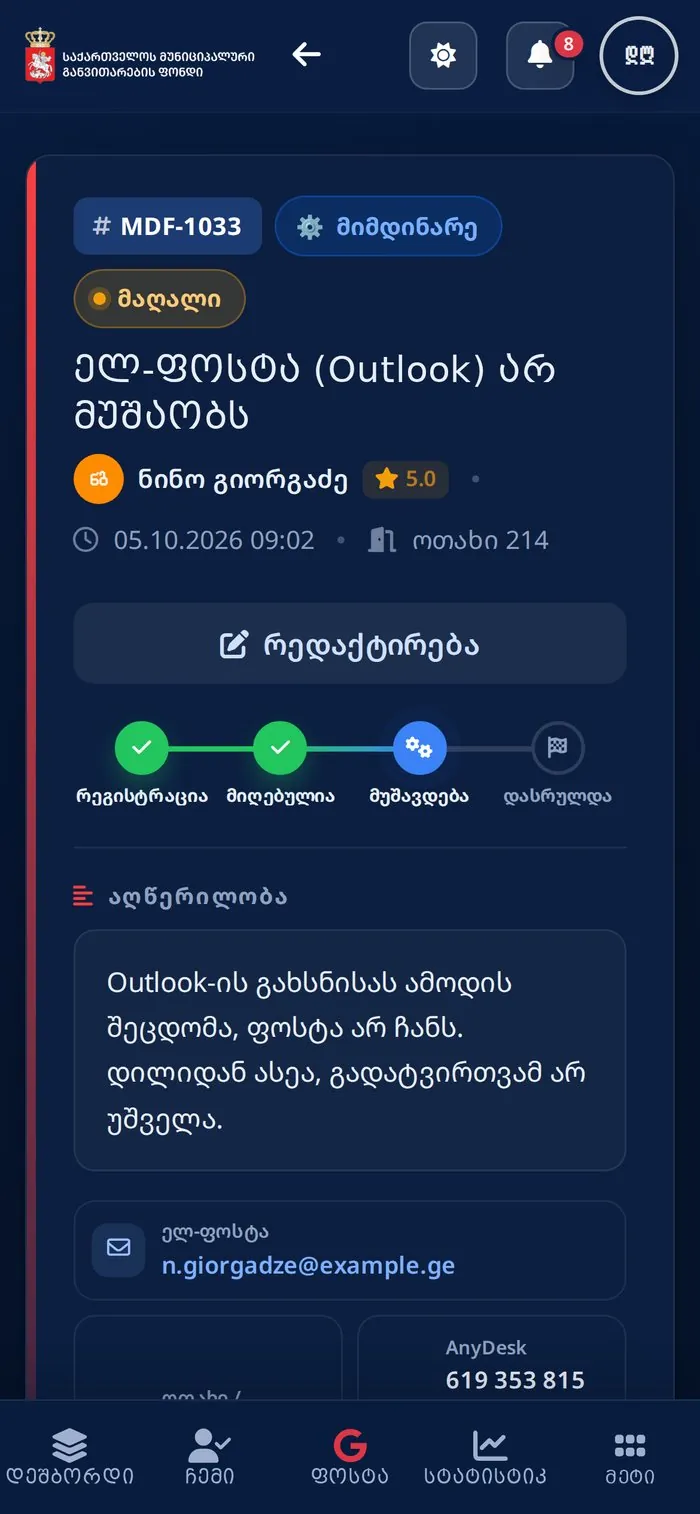
04Home page: greeting, personal statistics and quick picks
Home page: greeting, personal statistics and quick picksA ticket from the employee's viewApprover's page and the approve / reject blockDashboard: KPI cards and SLA indicatorsTechnical details, approval, internal noteStatistics and analyticsLive monitorActive Directory: account management
12
White-label settings
The organisation runs the system without a developer — every change applies instantly.
01Branding
Name, logo, colours, login video background
02Classifiers
Categories, types, priorities, statuses — drag & drop
03SLA and business hours
Targets per priority, out-of-hours message
04Texts and documents
Interface texts with search, terms, FAQ
05Mail and templates
SMTP, HTML templates with live preview
06Active Directory
LDAPS connection, test, lockout alerts
07Announcements
Site-wide banner with type and expiry
08Backup and clean-up
JSON export/import, deletion only with a one-time code
13
Mobile and PWA
Every page is built for the phone, and the system installs on the home screen like an app. Pull to refresh; swipe a card left to “Take” it.
Home
New request
Ticket
Chat
IT: swipe to take
Statistics
Dark theme
14
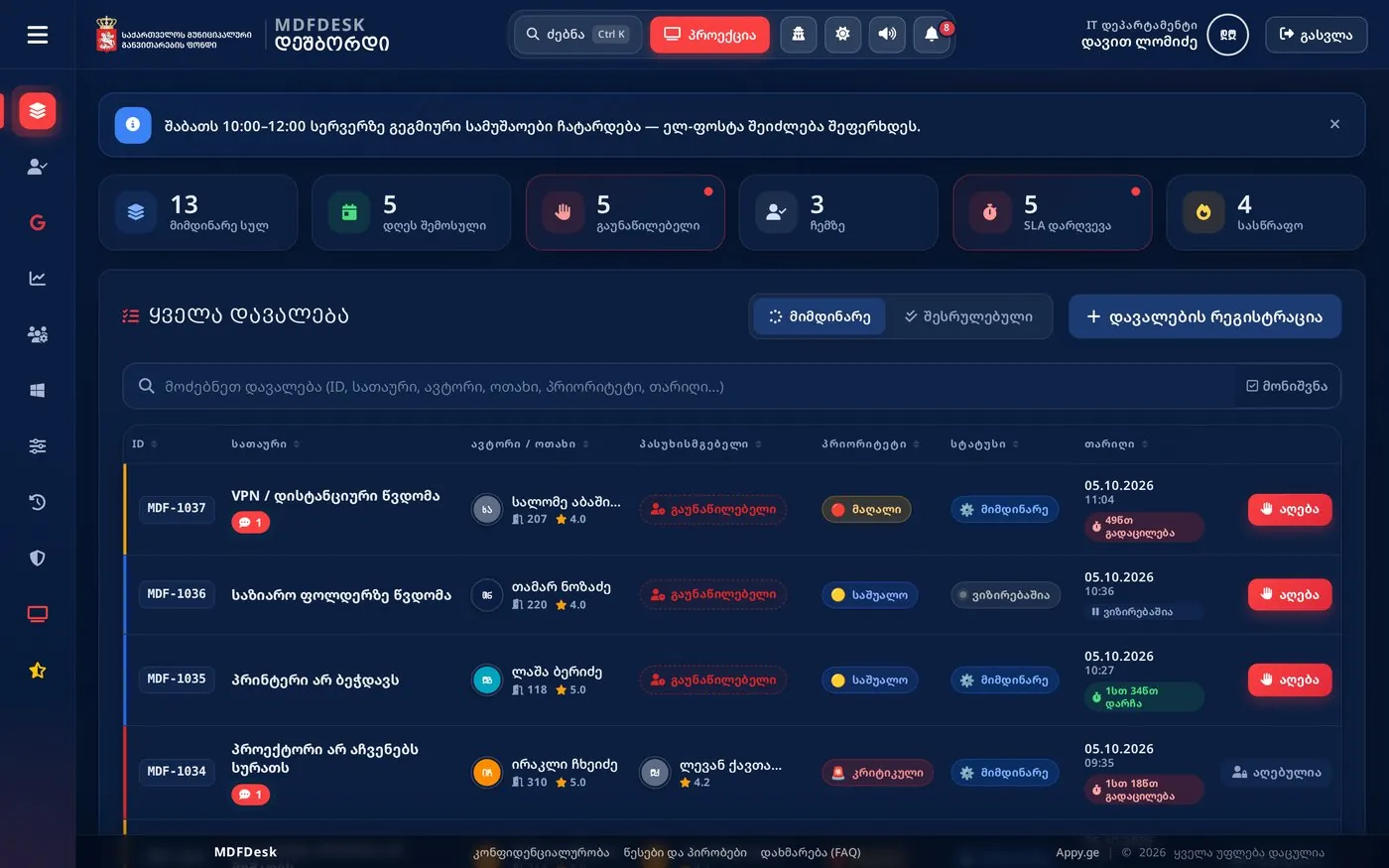
Dark theme — one click
Drag the slider to see the same dashboard in both themes.
LightDark
15
Security and reliability
01Authentication
Google OAuth 2.0 (SSO), corporate domain only; server-side sessions
02Session control
Idle and absolute timeouts, automatic sign-out
03CSRF and XSS
Protection on every form, AJAX call, history and chat
04Private attachments
Files open only after an access check
05Role-based access
Employees see only their own requests
06Audit
Every important action logged with IP and computer name
07Backups
Nightly automatic copies, shipped off-site to Google Drive
08Quality
84 automated tests
16
Technology
01Backend
Python 3 · Flask · Gunicorn
02Database
PostgreSQL
03Frontend
Bootstrap 5 · own design system · Chart.js
04Real time
Polling with version counters — no WebSocket server
05Integrations
Google OAuth · Gmail API · People API · LDAPS · SMTP
06Infrastructure
Linux · Nginx (HTTPS) · systemd · nightly backup
07Mobile
Responsive UI · PWA (service worker, offline)
08Agent
Workstation name and IP reported automatically
Need a system like this?
MDFDesk is built as a white-label product — we can fit it to your organisation: logo, colours, categories, SLA and integrations. All data in the screenshots is fictitious.